3.7
Free
HoverSnap
Excellent and functional snapshot tool

Author's review
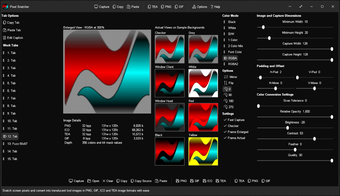
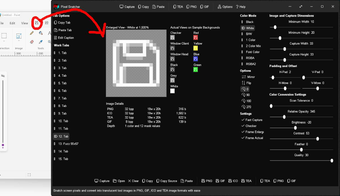
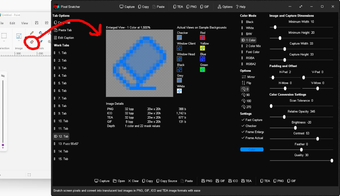
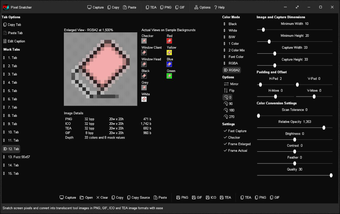
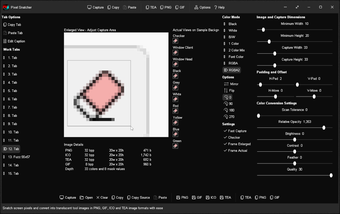
Snatch pixels from your screen and convert into translucent tool images in PNG, GIF, ICO and TEA image formats with ease. Create modern monochromatic tool images in seconds for your app, web app, or Gossamer app. Click capture, hover mouse cursor over screen area to acquire image, adjust color conversion settings if required, and copy/save.
Features
Generate translucent/transparent images from screen captures/solid images
Automatic monochromatic/color conversion, background color removal, and smart image cropping
Copy image to Clipboard as transparent PNG
Copy image to Clipboard as mime/type PNG/GIF and paste directly into html code
Copy image to Clipboard as a Pascal array in 32 bit TEA format for direct inclusion in a Gossamer app with automatic font color rendering (use Color Mode: Font Color)
Capture image from screen in realtime (2 modes): drag and release (instant), or click and hover (short delay)
Custom minimum image width / height range: 1-128px
Custom capture width / height: 5-128px
Custom vertical / horizontal transparent padding: 0-30px
Tweak final vertical / horizontal image position: +/-30px
Color Conversion Modes: Black (shades of black), White (shades of white), B/W (shades of black and white), 1 Color (shades of custom color), 2 Color Mix (shades of two custom colors with Color Mix adjustment), Font Color (TEA images render in shades of font color within a Gossamer app), RGBA (average shades of RGB), and RGBA2 (inverted average shades of RGB)
Adjust Brightness and Contrast levels
Optional twin feather modes - feather outline / smooth image and feather outline
Save captured image to file as PNG (32 bit), ICO (32 bit), TEA (32 bit), or GIF (8 bit)
Post-capture adjustment support - click and drag within Enlarged View to adjust capture area and regenerate image
15 persistent work tabs with customisable caption - each work tab retains settings and image
Copy and Paste image and settings between work tabs via internal Clipboard
Image Options: Flip, Mirror, Rotate: 0, 90, 180, and 270
Options: Fast Capture, Frame Enlarged and Frame Actual (outline image boundaries)
Realtime WYSIWYG (What You See Is What You Get) display
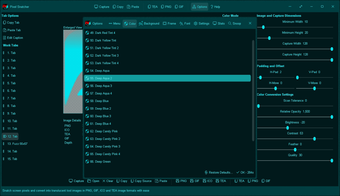
Options Window - Easily change app color, font, and settings
Portable
MIT License
Free
1.0.1632
Windows
Windows 98
English
1
1.59 MB
Have you tried Pixel Snatcher? Be the first to leave your opinion!
Add reviewExcellent and functional snapshot tool

Capture variously sourced videos to AVI
Capture DVs very easily

Capture complete web pages from start to end
Take screenshots instantly with the Print key
Capture screenshots by mouse or keyboard then save, share and print and automate all of that.
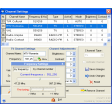
Watch free Internet TV & listen free online radio on your PC
IE Catcher: Efficient Screen Capture Tool
Combine several pages into one TIFF file

Get the best video quality possible from a Windows PC

watch, record, playback high definition HDTV program, teletext broadcast program

A video recording tool for PC